Loading...
Searching...
No Matches
AerodynamicObjects.Demos.PlaneSpawner Class Reference
Used to spawn aeroplanes in a scene. More...
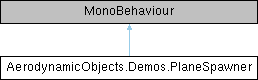
Inheritance diagram for AerodynamicObjects.Demos.PlaneSpawner:
Public Attributes | |
| GameObject | paperPlanePrefab |
| Transform | spawnTarget |
| float | spawnrate = 5 |
| Rate at which planes are spawned in planes per second. More... | |
| float | spawnRadius = 2 |
| Radius of sphere within which planes are spawned. More... | |
| float | meanControlSurfaceDeflection = -0.1f |
| Sets the average trim state for planes. More... | |
| float | controlSurfaceRange = 0.01f |
| The range over which random variations are applied to control surface deflection, radians. More... | |
| float | planeLife = 5 |
| How long each plane exists in the scene before it is destroyed. More... | |
| float | timescale = 0.1f |
| Slow motion factor for the scene. More... | |
Detailed Description
Used to spawn aeroplanes in a scene.
Member Data Documentation
◆ controlSurfaceRange
| float AerodynamicObjects.Demos.PlaneSpawner.controlSurfaceRange = 0.01f |
The range over which random variations are applied to control surface deflection, radians.
◆ meanControlSurfaceDeflection
| float AerodynamicObjects.Demos.PlaneSpawner.meanControlSurfaceDeflection = -0.1f |
Sets the average trim state for planes.
Random variation is applied either side of this. In radians.
◆ paperPlanePrefab
| GameObject AerodynamicObjects.Demos.PlaneSpawner.paperPlanePrefab |
◆ planeLife
| float AerodynamicObjects.Demos.PlaneSpawner.planeLife = 5 |
How long each plane exists in the scene before it is destroyed.
◆ spawnRadius
| float AerodynamicObjects.Demos.PlaneSpawner.spawnRadius = 2 |
Radius of sphere within which planes are spawned.
Sphere centre located at spawn target, m.
◆ spawnrate
| float AerodynamicObjects.Demos.PlaneSpawner.spawnrate = 5 |
Rate at which planes are spawned in planes per second.
◆ spawnTarget
| Transform AerodynamicObjects.Demos.PlaneSpawner.spawnTarget |
◆ timescale
| float AerodynamicObjects.Demos.PlaneSpawner.timescale = 0.1f |
Slow motion factor for the scene.
Paper planes move fast for their size so it is good to slow down the action. Smaller number is slower.
The documentation for this class was generated from the following file:
- C:/Unity/AO 2/Assets/AO/Demos/Scripts/PlaneSpawner.cs