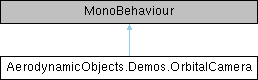
Drone-like follow camera which can be controlled in the game window using the mouse, similar to camera controls for Unity's scene view camera. More...
Public Attributes | |
| Transform | target |
| float | cameraSmoothing = 0.1f |
| float | scrollRate = 0.1f |
| How fast the camera stand off distance changes when scrolling the mouse. More... | |
| float | elevationSpeed = 120f |
| How fast the elevation angle changes when dragging the mouse vertically. More... | |
| float | headingSpeed = 120f |
| How fast the heading angle changes when dragging the mouse horizontally. More... | |
| float | elevation = 10f |
| The elevation angle of the orbital camera (deg). More... | |
| float | heading = 0f |
| The heading angle of the orbital camera (deg). More... | |
| float | distance = 10f |
| How far away the camera should be from the target (m). More... | |
| bool | autoOrbit = true |
| Should the camera auto orbit around the the target? More... | |
| float | autoOrbitRate = 20 |
| How fast the camera should auto orbit if enabled, degrees per second. More... | |
Detailed Description
Drone-like follow camera which can be controlled in the game window using the mouse, similar to camera controls for Unity's scene view camera.
Member Data Documentation
◆ autoOrbit
| bool AerodynamicObjects.Demos.OrbitalCamera.autoOrbit = true |
Should the camera auto orbit around the the target?
◆ autoOrbitRate
| float AerodynamicObjects.Demos.OrbitalCamera.autoOrbitRate = 20 |
How fast the camera should auto orbit if enabled, degrees per second.
◆ cameraSmoothing
| float AerodynamicObjects.Demos.OrbitalCamera.cameraSmoothing = 0.1f |
◆ distance
| float AerodynamicObjects.Demos.OrbitalCamera.distance = 10f |
How far away the camera should be from the target (m).
◆ elevation
| float AerodynamicObjects.Demos.OrbitalCamera.elevation = 10f |
The elevation angle of the orbital camera (deg).
◆ elevationSpeed
| float AerodynamicObjects.Demos.OrbitalCamera.elevationSpeed = 120f |
How fast the elevation angle changes when dragging the mouse vertically.
◆ heading
| float AerodynamicObjects.Demos.OrbitalCamera.heading = 0f |
The heading angle of the orbital camera (deg).
◆ headingSpeed
| float AerodynamicObjects.Demos.OrbitalCamera.headingSpeed = 120f |
How fast the heading angle changes when dragging the mouse horizontally.
◆ scrollRate
| float AerodynamicObjects.Demos.OrbitalCamera.scrollRate = 0.1f |
How fast the camera stand off distance changes when scrolling the mouse.
◆ target
| Transform AerodynamicObjects.Demos.OrbitalCamera.target |
The documentation for this class was generated from the following file:
- C:/Unity/AO 2/Assets/AO/Demos/Scripts/OrbitalCamera.cs